UI / UX Design
SecureGate: Team logs
SecureGate: Team logs
Designing a record that shows a business owner what their staff did with client identity data, and proves to an auditor that nobody altered it.
Designing a record that shows a business owner what their staff did with client identity data, and proves to an auditor that nobody altered it.
Year :
Year :
2025
2025
Industry :
Industry :
Physical Security / Access Control
Physical Security / Access Control
Company
Company
Compliance Innovation
Compliance Innovation
Project Duration :
Project Duration :
4 Months
4 Months
The project, and why this feature
The project, and why this feature
SecureGate is a web-based physical-security software platform I co-designed from scratch. Organizations use it for live camera monitoring with face recognition and weapon detection, identity-checked event invites, and access control. Their own employees are the security staff. Team Logs is the feature that monitors their activity logs for the account's owner, the Org Owner.
Executives asked for Team Logs as a product requirement, because a customer who cannot prove what its staff did with this access cannot be trusted to hold it. I chose to showcase it because it carries the platform's hardest question. Once software puts faces and identity records in front of employees, who is accountable for what they do with them? Answering it puts business risk, privacy, security engineering and UX on a single screen.
My Role
My Role
Designed and built SecureGate from scratch with Prateek Singh, owning information architecture, the monitoring & event-detection flows, the design system from early structure through high-fidelity UI, working directly with engineering through hand-off. Sole owner of the feature that I am presenting in this case study.
Designed and built SecureGate from scratch with Prateek Singh, owning information architecture, the monitoring & event-detection flows, the design system from early structure through high-fidelity UI, working directly with engineering through hand-off. Sole owner of the feature that I am presenting in this case study.
The problem
The problem
The platform put faces, identity documents and a blocklist in front of staff. Any employee could misuse that access, from tracking a person to leaking an identity record. The owner would not be told, could not find out quickly, and had no record anyone would believe.
Misuse and leaks: A staff member could track a person across live cameras and face recognition for personal reasons, or on someone else's request. In any organization that holds client or guest identities, one employee opening an identity record is a legal breach, and a leaked blocklist is a safety threat.
No visibility, no warning: The owner is accountable for what staff do, yet could see none of it. Nothing told them when something risky happened.
Slow to find the answer: When something goes wrong, the owner is under pressure. A notification is useless if it drops them into a raw log instead of exactly who did what, and when.
A log nobody could trust: An ordinary log can be edited by anyone with enough access, including the person it exists to catch, so it proves nothing to an auditor or insurer.
There is a twist. Nobody sits above the owner to watch them, and many of our customers have a single owner and no security team.
The design problem: how might we tell the owner the moment something risky happens, take them straight to what they need, and give them a record they can show an authority, without adding noise?
Design process
Design process
I worked in three passes: frame the problem as design criteria, explore options against them, then stress-test the chosen direction for how it could fail.
I worked in three passes: frame the problem as design criteria, explore options against them, then stress-test the chosen direction for how it could fail.
a) Frame: what had to be true
a) Frame: what had to be true
Before any screen, I turned the problem into six design criteria. Every later trade-off was judged against them.
Before any screen, I turned the problem into six design criteria. Every later trade-off was judged against them.
Lens
Design criterion
Business
Be the best security monitoring software on the market, and sell trust to customers whose clients’ privacy is their reputation.
User
An owner with no security training can answer “who did what, and when” without reading raw data.
Response
The owner is told the moment something risky happens, and the alert lands them on exactly who did what, and when, in seconds.
Evidence
The record holds up outside the product, in front of an auditor or insurer. Any edit or deletion is detectable.
Privacy
The log never becomes a new pile of personal data to leak. Summaries and counts, not contents. Alerts follow the same rule: who, what and when, never the record.
Fit
Owner-only, built on the existing roles and components, and small enough to ship as an MVP while engineering was still building.
b) Explore: options weighed, and what I rejected
b) Explore: options weighed, and what I rejected
I turned the criteria into five design questions and weighed options for each. Each had an obvious answer, and I rejected it.
I turned the criteria into five design questions and weighed options for each. Each had an obvious answer, and I rejected it.
Question
Easy answer, rejected
What I designed, and why
Who watches the security staff?
Reuse the event log, the platform's existing record of what happens in each event.
A separate, owner-only record of every staff action known as "Team log": viewing identity records, exporting data, changing the blocklist or permissions. The event log shows what happened in a room, not what staff did with it.
What should the owner be told, and when?
An alert for every action
Sensitive actions notify by email and phone by default, and the owner chooses which activity types and channels to get. Alerting on everything trains the owner to ignore alerts.
Where should an alert take the owner?
A generic alert that opens the full log
Each alert states who, what and when in one line and opens that person's timeline at the entry. Under pressure, the owner should never have to search or filter
How should the owner read it?
One log per event, opened one by one
One organization-wide table, filtered by event, with each person's timeline one click away.
How do we make the record trustworthy?
A standard log in the app database.
An insert-only log where any edit, deletion or reordering is detectable, with a visible integrity status. We cannot stop every insider, but tampering will show.
No option met all six criteria. I chose the one with the fewest gaps, and the one that shows when it breaks. For example, the integrity status never shows green unless the log was actually checked.
No option met all six criteria. I chose the one with the fewest gaps, and the one that shows when it breaks. For example, the integrity status never shows green unless the log was actually checked.
c) Stress-test: risks I designed against
c) Stress-test: risks I designed against
Before committing, I stress-tested the direction against six ways it could fail: tampering, abuse, leakage, false comfort, a missed alert and never shipping.
Before committing, I stress-tested the direction against six ways it could fail: tampering, abuse, leakage, false comfort, a missed alert and never shipping.
Risk
Design Response
Someone edits the log to hide what they did
Insert-only record where each entry carries a SHA-256 hash of the one before it. Any edit, deletion or reordering breaks the chain and shows on the integrity status.
An owner account is misused or taken over
Owner actions are logged like everyone else's. Adding or removing an owner needs a second owner's approval. Single-owner accounts get login alerts.
The log itself leaks personal data
It stores summaries and counts, not contents. Alerts follow the same rule, so email and phone never carry the record itself.
The status gives false comfort
Five states, not two: verified, verifying, stale, failed, unavailable. "Verified" only appears after a real check, and an unavailable check is never shown as green.
The owner misses the alert, or cannot act on it in time
Sensitive actions notify on email and phone by default, and each alert opens on that person's timeline at the entry. Rows read like a sentence. The owner picks the rest, so alerts keep their meaning.
It cannot ship while engineering is still building
Owner-only, built on existing roles and components, small enough for an MVP.
Solution
Solution
The owner is told when something risky happens, then one page answers three questions: who did what, whether it looks normal, and whether the record can be trusted.
The owner is told when something risky happens, then one page answers three questions: who did what, whether it looks normal, and whether the record can be trusted.
One table for "who did what, and when". Every action by every team member, newest first. Each row names the person, their role and the event, and carries a one-line summary that starts with a verb, such as "Exported Event Logs". The owner reads it like a sentence, with no security training, and can filter by event, activity type or team member to reach the one entry they need.
One table for "who did what, and when". Every action by every team member, newest first. Each row names the person, their role and the event, and carries a one-line summary that starts with a verb, such as "Exported Event Logs". The owner reads it like a sentence, with no security training, and can filter by event, activity type or team member to reach the one entry they need.
A timeline for every person. One click opens a person's full history: four counts (sessions, sensitive actions, data exports, blocklist changes) and seven color-coded activity types. Sensitive actions are the four types that can expose or change protected data: individual records, blocked list, team and permissions, and data exports. The other three (monitoring, session, settings) are routine. Unusual behavior stands out against the person's normal pattern.
A timeline for every person. One click opens a person's full history: four counts (sessions, sensitive actions, data exports, blocklist changes) and seven color-coded activity types. Sensitive actions are the four types that can expose or change protected data: individual records, blocked list, team and permissions, and data exports. The other three (monitoring, session, settings) are routine. Unusual behavior stands out against the person's normal pattern.
Alerts that land on the answer. Sensitive actions notify the owner by email and phone by default. Each alert says who, what and when in one line, never the record itself, and opens that person's timeline at the entry. Owners choose which activity types notify them, and on which channel, so alerts stay rare enough to be read.
Alerts that land on the answer. Sensitive actions notify the owner by email and phone by default. Each alert says who, what and when in one line, never the record itself, and opens that person's timeline at the entry. Owners choose which activity types notify them, and on which channel, so alerts stay rare enough to be read.
Proof that the record is honest. A status beside the page title shows whether the log has been checked and is intact. It is checked automatically every hour and can be rechecked on demand. If something does not match, it names the first entry affected and notifies the owners. A two-page verification report can be handed to an auditor or insurer.
Proof that the record is honest. A status beside the page title shows whether the log has been checked and is intact. It is checked automatically every hour and can be rechecked on demand. If something does not match, it names the first entry affected and notifies the owners. A two-page verification report can be handed to an auditor or insurer.
Owners are on the record too. An owner's own rows carry a "You" tag. Adding or removing an owner needs a second owner's approval. Accounts with one owner get login alerts instead.
Owners are on the record too. An owner's own rows carry a "You" tag. Adding or removing an owner needs a second owner's approval. Accounts with one owner get login alerts instead.
Outcome
Outcome
Team Logs exists because owners worried about data leaks, privacy and trust, and wanted to see everything their staff did.
Most days an owner will not need it. It matters in a rare, bad moment. For example, a client's identity record is found shared outside the company, and the owner has to say who opened it and when, and prove it to the police, an insurer or a regulator. With Team Logs and the verification report, the owner can show the evidence and the controls that were in place, instead of carrying the blame for what they could not see.
Measuring a feature people rarely need
Measuring a feature people rarely need
Usage is the wrong measure. Like a fire extinguisher, the feature succeeds if it works the first time it is needed. Real incidents are too rare to wait for, so we simulated one.
How the simulation ran.
Usage is the wrong measure. Like a fire extinguisher, the feature succeeds if it works the first time it is needed. Real incidents are too rare to wait for, so we simulated one.
How the simulation ran.
Seed a control incident: a test organization with normal staff activity and three planted events:
an identity record opened for no reason
a late-night data export
a blocklist change
Play the owner: find who did what, and when, using only Team Logs.
Attack the record: edit, delete, reorder and forge entries in a copy of the stored log, then run the check.
Produce the report: generate the passed and failed reports.
Measure
Target
Result
Time to trace the incident to a person
Under 2 minutes
Met
Planted events found
3 of 3
3 of 3 found
Tampering caught
Every change flagged, no false "verified"
Met
Report quality
Five items: who, what, when, proof the record is intact, no personal data
All five present
Alerts delivered and opened
Email and phone within 1 minute, opened within an hour
Met on both channels
Every simulated measure passed.
Every simulated measure passed.
Beyond this feature
Team Logs is one part of a platform designed from scratch in four months. Here is the rest.
Team Logs is one part of a platform designed from scratch in four months. Here is the rest.
Create events: set up an event, invite attendees by bulk upload, and run an identity check before anyone is let in.
Inside an event: live camera rooms with face recognition and weapon detection, a blocklist, event logs and settings.
Roles and permissions: Admin, Event Manager, Security Monitoring and Front Desk, each with their own access.
Team members: invite and manage the staff who run the platform.
Vision Toolkit Playground: a sandbox to try the face and weapon detection on video.
Organization owner: Team Logs, the integrity status and the verification report.
More Projects
More Projects
UI / UX Design
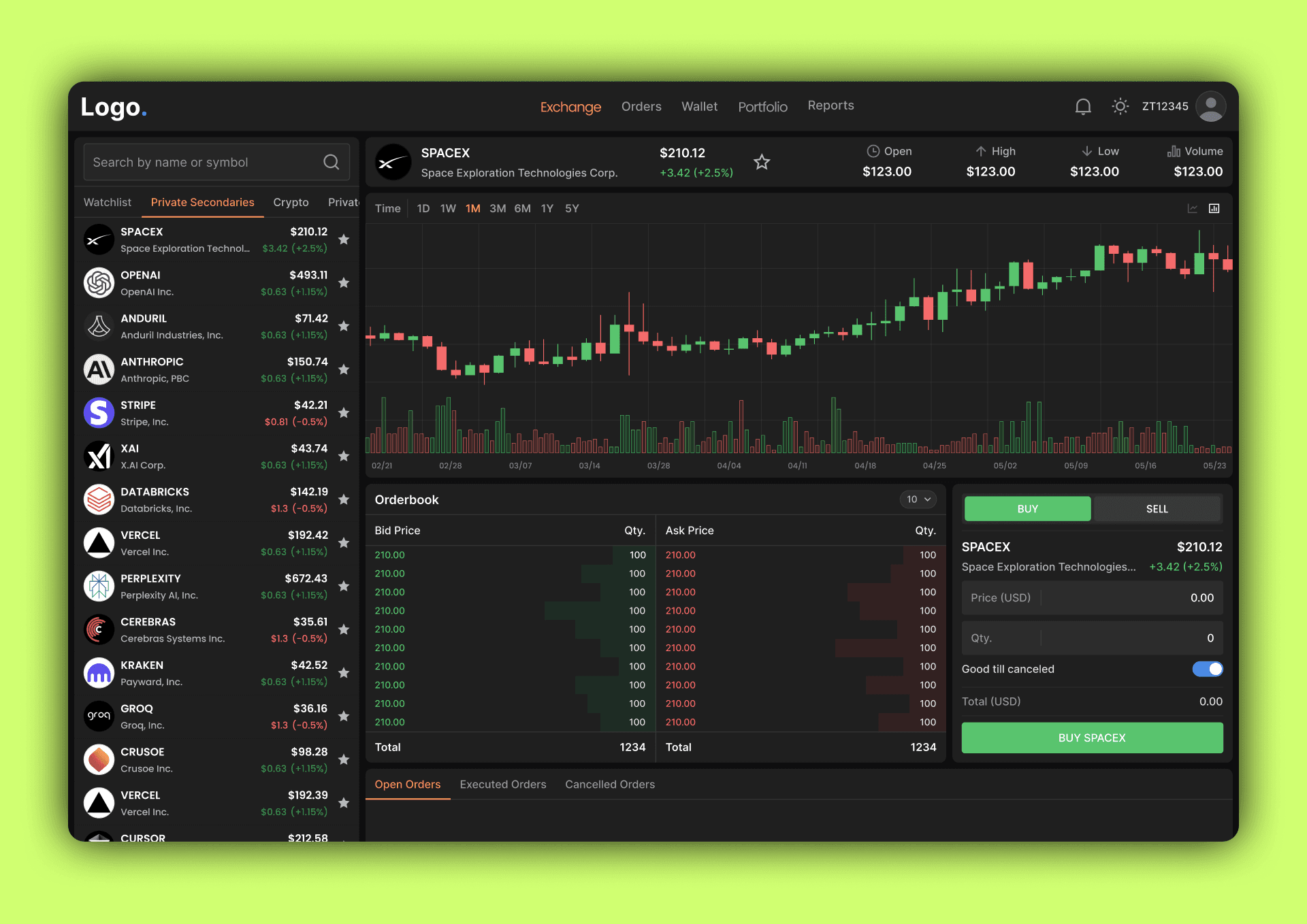
Regulated Pre-IPO Exchange Platform - 30% Faster Trade Execution, 3x Higher Closure Rate
Rebuilding the UX architecture and trade flow system for a pre-IPO share exchange platform, from a broken, document-heavy process to a structured, automated sequence that closes more deals, faster.
UI / UX Design
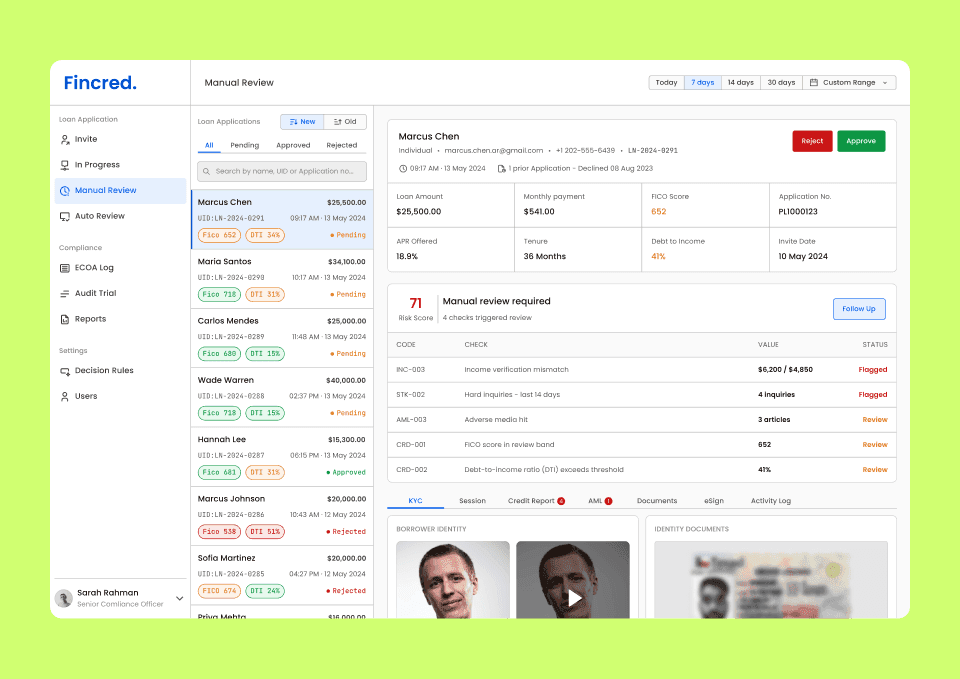
Loan Review Dashboard - designing the compliance workspace for consumer lending platforms
A compliance review dashboard consolidating identity, credit, fraud, and AML signals into one structured workspace that is designed for loan officers at regulated fintech lending platforms.
UI / UX Design
SecureGate: Team logs
SecureGate: Team logs
Designing a record that shows a business owner what their staff did with client identity data, and proves to an auditor that nobody altered it.
Designing a record that shows a business owner what their staff did with client identity data, and proves to an auditor that nobody altered it.
Year :
Year :
2025
2025
Industry :
Industry :
Physical Security / Access Control
Physical Security / Access Control
Company
Company
Compliance Innovation
Compliance Innovation
Project Duration :
Project Duration :
4 Months
4 Months
The project, and why this feature
The project, and why this feature
SecureGate is a web-based physical-security software platform I co-designed from scratch. Organizations use it for live camera monitoring with face recognition and weapon detection, identity-checked event invites, and access control. Their own employees are the security staff. Team Logs is the feature that monitors their activity logs for the account's owner, the Org Owner.
Executives asked for Team Logs as a product requirement, because a customer who cannot prove what its staff did with this access cannot be trusted to hold it. I chose to showcase it because it carries the platform's hardest question. Once software puts faces and identity records in front of employees, who is accountable for what they do with them? Answering it puts business risk, privacy, security engineering and UX on a single screen.
My Role
My Role
Designed and built SecureGate from scratch with Prateek Singh, owning information architecture, the monitoring & event-detection flows, the design system from early structure through high-fidelity UI, working directly with engineering through hand-off. Sole owner of the feature that I am presenting in this case study.
Designed and built SecureGate from scratch with Prateek Singh, owning information architecture, the monitoring & event-detection flows, the design system from early structure through high-fidelity UI, working directly with engineering through hand-off. Sole owner of the feature that I am presenting in this case study.
The problem
The problem
The platform put faces, identity documents and a blocklist in front of staff. Any employee could misuse that access, from tracking a person to leaking an identity record. The owner would not be told, could not find out quickly, and had no record anyone would believe.
Misuse and leaks: A staff member could track a person across live cameras and face recognition for personal reasons, or on someone else's request. In any organization that holds client or guest identities, one employee opening an identity record is a legal breach, and a leaked blocklist is a safety threat.
No visibility, no warning: The owner is accountable for what staff do, yet could see none of it. Nothing told them when something risky happened.
Slow to find the answer: When something goes wrong, the owner is under pressure. A notification is useless if it drops them into a raw log instead of exactly who did what, and when.
A log nobody could trust: An ordinary log can be edited by anyone with enough access, including the person it exists to catch, so it proves nothing to an auditor or insurer.
Misuse and leaks: A staff member could track a person across live cameras and face recognition for personal reasons, or on someone else's request. In any organization that holds client or guest identities, one employee opening an identity record is a legal breach, and a leaked blocklist is a safety threat.
No visibility, no warning: The owner is accountable for what staff do, yet could see none of it. Nothing told them when something risky happened.
Slow to find the answer: When something goes wrong, the owner is under pressure. A notification is useless if it drops them into a raw log instead of exactly who did what, and when.
A log nobody could trust: An ordinary log can be edited by anyone with enough access, including the person it exists to catch, so it proves nothing to an auditor or insurer.
There is a twist. Nobody sits above the owner to watch them, and many of our customers have a single owner and no security team.
The design problem: how might we tell the owner the moment something risky happens, take them straight to what they need, and give them a record they can show an authority, without adding noise?
There is a twist. Nobody sits above the owner to watch them, and many of our customers have a single owner and no security team.
The design problem: how might we tell the owner the moment something risky happens, take them straight to what they need, and give them a record they can show an authority, without adding noise?
Design process
Design process
I worked in three passes: frame the problem as design criteria, explore options against them, then stress-test the chosen direction for how it could fail.
I worked in three passes: frame the problem as design criteria, explore options against them, then stress-test the chosen direction for how it could fail.
a) Frame: what had to be true
a) Frame: what had to be true
Before any screen, I turned the problem into six design criteria. Every later trade-off was judged against them.
Before any screen, I turned the problem into six design criteria. Every later trade-off was judged against them.
Lens
Design criterion
Business
Be the best security monitoring software on the market, and sell trust to customers whose clients’ privacy is their reputation.
User
An owner with no security training can answer “who did what, and when” without reading raw data.
Response
The owner is told the moment something risky happens, and the alert lands them on exactly who did what, and when, in seconds.
Evidence
The record holds up outside the product, in front of an auditor or insurer. Any edit or deletion is detectable.
Privacy
The log never becomes a new pile of personal data to leak. Summaries and counts, not contents. Alerts follow the same rule: who, what and when, never the record.
Fit
Owner-only, built on the existing roles and components, and small enough to ship as an MVP while engineering was still building.
Lens
Design criterion
Business
Be the best security monitoring software on the market, and sell trust to customers whose clients’ privacy is their reputation.
User
An owner with no security training can answer “who did what, and when” without reading raw data.
Response
The owner is told the moment something risky happens, and the alert lands them on exactly who did what, and when, in seconds.
Evidence
The record holds up outside the product, in front of an auditor or insurer. Any edit or deletion is detectable.
Privacy
The log never becomes a new pile of personal data to leak. Summaries and counts, not contents. Alerts follow the same rule: who, what and when, never the record.
Fit
Owner-only, built on the existing roles and components, and small enough to ship as an MVP while engineering was still building.
b) Explore: options weighed, and what I rejected
b) Explore: options weighed, and what I rejected
I turned the criteria into five design questions and weighed options for each. Each had an obvious answer, and I rejected it.
I turned the criteria into five design questions and weighed options for each. Each had an obvious answer, and I rejected it.
Question
Easy answer, rejected
What I designed, and why
Who watches the security staff?
Reuse the event log, the platform's existing record of what happens in each event.
A separate, owner-only record of every staff action known as "Team log": viewing identity records, exporting data, changing the blocklist or permissions. The event log shows what happened in a room, not what staff did with it.
What should the owner be told, and when?
An alert for every action
Sensitive actions notify by email and phone by default, and the owner chooses which activity types and channels to get. Alerting on everything trains the owner to ignore alerts.
Where should an alert take the owner?
A generic alert that opens the full log
Each alert states who, what and when in one line and opens that person's timeline at the entry. Under pressure, the owner should never have to search or filter
How should the owner read it?
One log per event, opened one by one
One organization-wide table, filtered by event, with each person's timeline one click away.
How do we make the record trustworthy?
A standard log in the app database.
An insert-only log where any edit, deletion or reordering is detectable, with a visible integrity status. We cannot stop every insider, but tampering will show.
Question
Easy answer, rejected
What I designed, and why
Who watches the security staff?
Reuse the event log, the platform's existing record of what happens in each event.
A separate, owner-only record of every staff action known as "Team log": viewing identity records, exporting data, changing the blocklist or permissions. The event log shows what happened in a room, not what staff did with it.
What should the owner be told, and when?
An alert for every action
Sensitive actions notify by email and phone by default, and the owner chooses which activity types and channels to get. Alerting on everything trains the owner to ignore alerts.
Where should an alert take the owner?
A generic alert that opens the full log
Each alert states who, what and when in one line and opens that person's timeline at the entry. Under pressure, the owner should never have to search or filter
How should the owner read it?
One log per event, opened one by one
One organization-wide table, filtered by event, with each person's timeline one click away.
How do we make the record trustworthy?
A standard log in the app database.
An insert-only log where any edit, deletion or reordering is detectable, with a visible integrity status. We cannot stop every insider, but tampering will show.
No option met all six criteria. I chose the one with the fewest gaps, and the one that shows when it breaks. For example, the integrity status never shows green unless the log was actually checked.
No option met all six criteria. I chose the one with the fewest gaps, and the one that shows when it breaks. For example, the integrity status never shows green unless the log was actually checked.
c) Stress-test: risks I designed against
c) Stress-test: risks I designed against
Before committing, I stress-tested the direction against six ways it could fail: tampering, abuse, leakage, false comfort, a missed alert and never shipping.
Before committing, I stress-tested the direction against six ways it could fail: tampering, abuse, leakage, false comfort, a missed alert and never shipping.
Risk
Design Response
Someone edits the log to hide what they did
Insert-only record where each entry carries a SHA-256 hash of the one before it. Any edit, deletion or reordering breaks the chain and shows on the integrity status.
An owner account is misused or taken over
Owner actions are logged like everyone else's. Adding or removing an owner needs a second owner's approval. Single-owner accounts get login alerts.
The log itself leaks personal data
It stores summaries and counts, not contents. Alerts follow the same rule, so email and phone never carry the record itself.
The status gives false comfort
Five states, not two: verified, verifying, stale, failed, unavailable. "Verified" only appears after a real check, and an unavailable check is never shown as green.
The owner misses the alert, or cannot act on it in time
Sensitive actions notify on email and phone by default, and each alert opens on that person's timeline at the entry. Rows read like a sentence. The owner picks the rest, so alerts keep their meaning.
It cannot ship while engineering is still building
Owner-only, built on existing roles and components, small enough for an MVP.
Risk
Design Response
Someone edits the log to hide what they did
Insert-only record where each entry carries a SHA-256 hash of the one before it. Any edit, deletion or reordering breaks the chain and shows on the integrity status.
An owner account is misused or taken over
Owner actions are logged like everyone else's. Adding or removing an owner needs a second owner's approval. Single-owner accounts get login alerts.
The log itself leaks personal data
It stores summaries and counts, not contents. Alerts follow the same rule, so email and phone never carry the record itself.
The status gives false comfort
Five states, not two: verified, verifying, stale, failed, unavailable. "Verified" only appears after a real check, and an unavailable check is never shown as green.
The owner misses the alert, or cannot act on it in time
Sensitive actions notify on email and phone by default, and each alert opens on that person's timeline at the entry. Rows read like a sentence. The owner picks the rest, so alerts keep their meaning.
It cannot ship while engineering is still building
Owner-only, built on existing roles and components, small enough for an MVP.
Solution
Solution
The owner is told when something risky happens, then one page answers three questions: who did what, whether it looks normal, and whether the record can be trusted.
The owner is told when something risky happens, then one page answers three questions: who did what, whether it looks normal, and whether the record can be trusted.
One table for "who did what, and when". Every action by every team member, newest first. Each row names the person, their role and the event, and carries a one-line summary that starts with a verb, such as "Exported Event Logs". The owner reads it like a sentence, with no security training, and can filter by event, activity type or team member to reach the one entry they need.
One table for "who did what, and when". Every action by every team member, newest first. Each row names the person, their role and the event, and carries a one-line summary that starts with a verb, such as "Exported Event Logs". The owner reads it like a sentence, with no security training, and can filter by event, activity type or team member to reach the one entry they need.
A timeline for every person. One click opens a person's full history: four counts (sessions, sensitive actions, data exports, blocklist changes) and seven color-coded activity types. Sensitive actions are the four types that can expose or change protected data: individual records, blocked list, team and permissions, and data exports. The other three (monitoring, session, settings) are routine. Unusual behavior stands out against the person's normal pattern.
A timeline for every person. One click opens a person's full history: four counts (sessions, sensitive actions, data exports, blocklist changes) and seven color-coded activity types. Sensitive actions are the four types that can expose or change protected data: individual records, blocked list, team and permissions, and data exports. The other three (monitoring, session, settings) are routine. Unusual behavior stands out against the person's normal pattern.
Alerts that land on the answer. Sensitive actions notify the owner by email and phone by default. Each alert says who, what and when in one line, never the record itself, and opens that person's timeline at the entry. Owners choose which activity types notify them, and on which channel, so alerts stay rare enough to be read.
Alerts that land on the answer. Sensitive actions notify the owner by email and phone by default. Each alert says who, what and when in one line, never the record itself, and opens that person's timeline at the entry. Owners choose which activity types notify them, and on which channel, so alerts stay rare enough to be read.
Proof that the record is honest. A status beside the page title shows whether the log has been checked and is intact. It is checked automatically every hour and can be rechecked on demand. If something does not match, it names the first entry affected and notifies the owners. A two-page verification report can be handed to an auditor or insurer.
Proof that the record is honest. A status beside the page title shows whether the log has been checked and is intact. It is checked automatically every hour and can be rechecked on demand. If something does not match, it names the first entry affected and notifies the owners. A two-page verification report can be handed to an auditor or insurer.
Owners are on the record too. An owner's own rows carry a "You" tag. Adding or removing an owner needs a second owner's approval. Accounts with one owner get login alerts instead.
Owners are on the record too. An owner's own rows carry a "You" tag. Adding or removing an owner needs a second owner's approval. Accounts with one owner get login alerts instead.
Outcome
Outcome
Team Logs exists because owners worried about data leaks, privacy and trust, and wanted to see everything their staff did.
Most days an owner will not need it. It matters in a rare, bad moment. For example, a client's identity record is found shared outside the company, and the owner has to say who opened it and when, and prove it to the police, an insurer or a regulator. With Team Logs and the verification report, the owner can show the evidence and the controls that were in place, instead of carrying the blame for what they could not see.
Measuring a feature people rarely need
Measuring a feature people rarely need
Usage is the wrong measure. Like a fire extinguisher, the feature succeeds if it works the first time it is needed. Real incidents are too rare to wait for, so we simulated one.
How the simulation ran.
Usage is the wrong measure. Like a fire extinguisher, the feature succeeds if it works the first time it is needed. Real incidents are too rare to wait for, so we simulated one.
How the simulation ran.
Seed a control incident: a test organization with normal staff activity and three planted events:
an identity record opened for no reason
a late-night data export
a blocklist change
Play the owner: find who did what, and when, using only Team Logs.
Attack the record: edit, delete, reorder and forge entries in a copy of the stored log, then run the check.
Produce the report: generate the passed and failed reports.
Measure
Target
Result
Time to trace the incident to a person
Under 2 minutes
Met
Planted events found
3 of 3
3 of 3 found
Tampering caught
Every change flagged, no false "verified"
Met
Report quality
Five items: who, what, when, proof the record is intact, no personal data
All five present
Alerts delivered and opened
Email and phone within 1 minute, opened within an hour
Met on both channels
Measure
Target
Result
Time to trace the incident to a person
Under 2 minutes
Met
Planted events found
3 of 3
3 of 3 found
Tampering caught
Every change flagged, no false "verified"
Met
Report quality
Five items: who, what, when, proof the record is intact, no personal data
All five present
Alerts delivered and opened
Email and phone within 1 minute, opened within an hour
Met on both channels
Every simulated measure passed.
Every simulated measure passed.
Beyond this feature
Team Logs is one part of a platform designed from scratch in four months. Here is the rest.
Team Logs is one part of a platform designed from scratch in four months. Here is the rest.
Create events: set up an event, invite attendees by bulk upload, and run an identity check before anyone is let in.
Inside an event: live camera rooms with face recognition and weapon detection, a blocklist, event logs and settings.
Roles and permissions: Admin, Event Manager, Security Monitoring and Front Desk, each with their own access.
Team members: invite and manage the staff who run the platform.
Vision Toolkit Playground: a sandbox to try the face and weapon detection on video.
Organization owner: Team Logs, the integrity status and the verification report.
More Projects
More Projects
UI / UX Design
Regulated Pre-IPO Exchange Platform - 30% Faster Trade Execution, 3x Higher Closure Rate
Rebuilding the UX architecture and trade flow system for a pre-IPO share exchange platform, from a broken, document-heavy process to a structured, automated sequence that closes more deals, faster.
UI / UX Design
Loan Review Dashboard - designing the compliance workspace for consumer lending platforms
A compliance review dashboard consolidating identity, credit, fraud, and AML signals into one structured workspace that is designed for loan officers at regulated fintech lending platforms.